
Schedule Across Multiple Businesses
Social Space Structure
When you manage multiple businesses, keeping content consistent across Social Spaces is a big part of the workflow. Duplicating makes the process easier to manage shared businesses while still keeping each business in its own dedicated Social Space.
Duplication Use Cases
In Rella, each Social Space is designed to manage one business. Because each space is set up independently, is beneficial to have a way to carry content across multiple spaces without recreating everything manually.
Duplicating content is helpful for managing:
Franchise businesses with multiple locations
Parent brands and sub-brands
Clients with separate personal and business accounts
Businesses with regional or location-based profiles
How to Duplicate Content
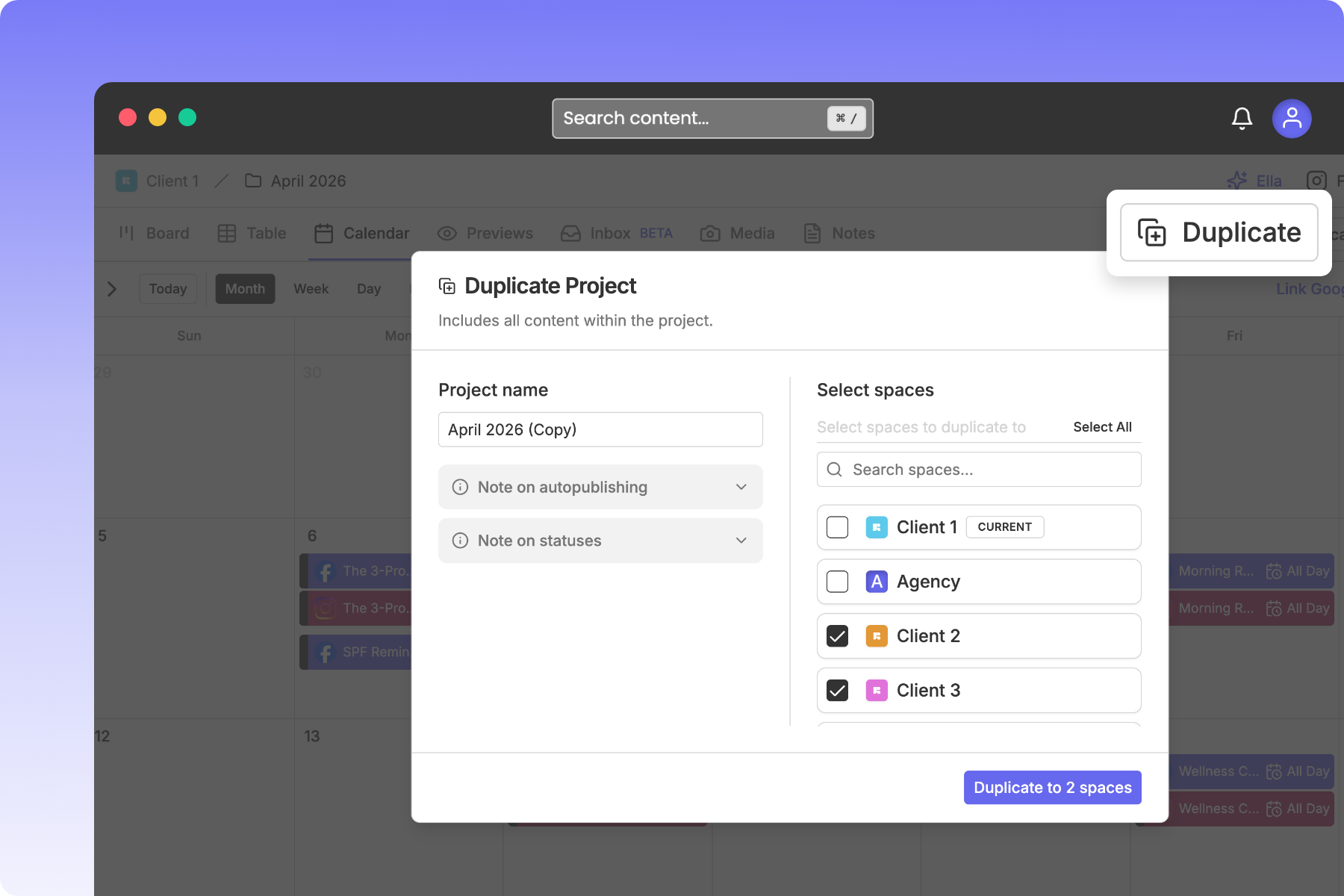
Duplicating allows you to select multiple Social Spaces and copy content into selected spaces. To do this:
Navigate to a specific Project
Click Duplicate in the top right of your Rella dashboard
Select the Social Spaces you’d like content to copy to
Navigate to the Social Space content was copied to
When content is duplicated, the copied content will contain all content and schedule details, including auto posting details.
There are a couple of things to keep in mind when duplicating content across spaces.
Auto publishing : If the destination space does not have the desired social accounts connected, auto posting will be turned off for that post and changed to a scheduled reminder instead.
Statuses: Rella looks for the same status in the destination space first. If that status isn’t available, it assigns the first status in the same group instead.
Duplicating FAQs
Does duplicating content affect the original?
No. The original project in your source Space remains completely untouched. Duplicating creates a new, independent copy in each destination Space.
Can I duplicate a post into more than one space?
Yes, you can select multiple Social Spaces when duplicating.
Can I duplicate multiple posts at once?
Yes, in order to duplicate content you must do so within a Project which can contain multiple posts.
Are duplicated posts still editable?
Yes, once duplicated, each post exists within its own Social Space and can be managed there as needed.